Introduction
For businesses of all sizes, Facebook and Instagram ads are a primary channel for reaching target audiences. Understanding what your competitors are advertising — their messaging, creative approaches, and strategic focus — is invaluable.
This step by step guide will walk you through the exact steps to track the competitor Facebook ads research effectively using free, official tools.
Why You Need to Track Competitor Facebook Ads
Monitoring your competitors' paid social activity is a form of competitive intelligence that delivers direct strategic benefits:
Understand Their Messaging: See what value propositions, offers, or pain points they highlight.
Analyze Creative Strategy: Learn what types of visuals and calls-to-action they use.
Identify Target Audiences: Infer who they are targeting based on ad themes and the pages they advertise for.
Spot Campaign Launches: New ad creatives often signal new product launches, promotions, or content initiatives.
Benchmark Your Own Ads: Contextualize your ad frequency and creative diversity against the market.
Looking to supercharge your marketing with the latest tech? Explore how AI are reshaping the field in our article: 3 Ways AI Is Transforming Digital Marketing.
Step-by-Step Guide To See Competitor FB Ads
The Meta Ads Library is a free, comprehensive public database of all active ads running across Facebook, Instagram, Messenger, and Meta's partner network. Here’s how to use it for competitor research.
Step 1: Access the Tool
Navigate to Meta Ads Library. No login is required.
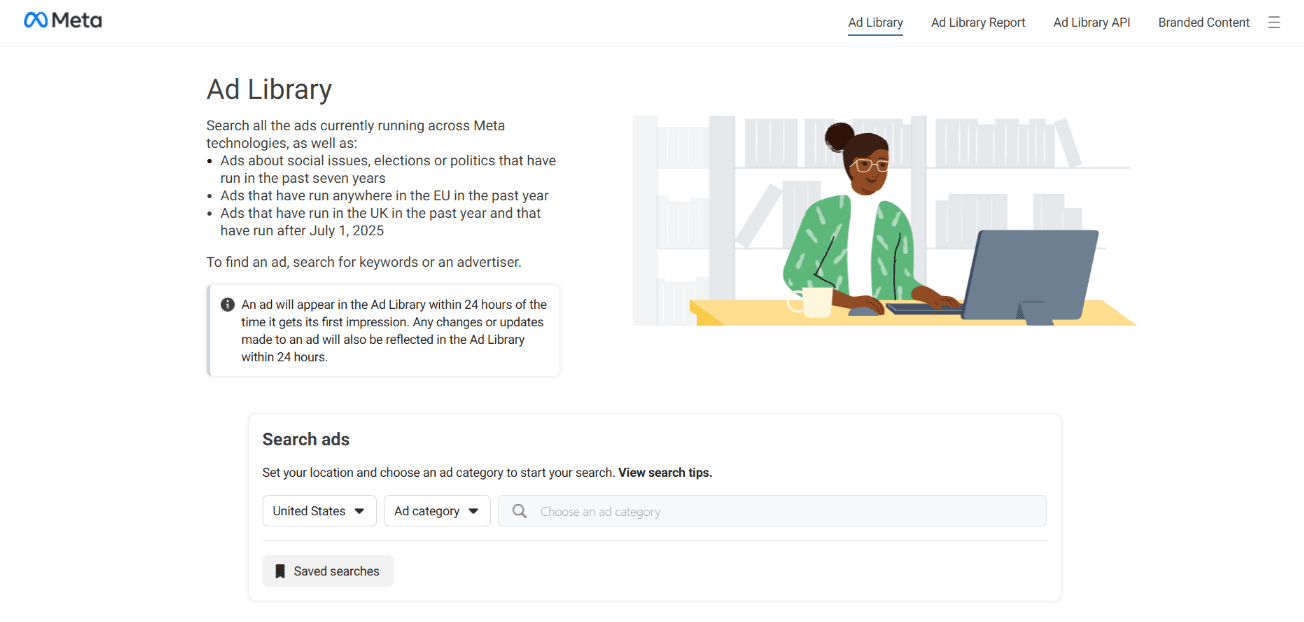
Step 2: Choose Targeting
1) Choose Country
You can select either:
All countries → Recommended if you want a broad overview of competitor activity across different markets.
Specific country → Choose if you already have a particular market in mind for detailed analysis.
Tip: Start with All if you’re exploring or unsure — this gives you the widest view of ad strategies.
b) Choose Ad Category
Options include:
All ads → Best for most competitive research, unless you're focusing on a specific ad type.
Specific category (e.g., Politics, Housing, Employment, etc.) → Use only if your analysis is niche or category-specific.
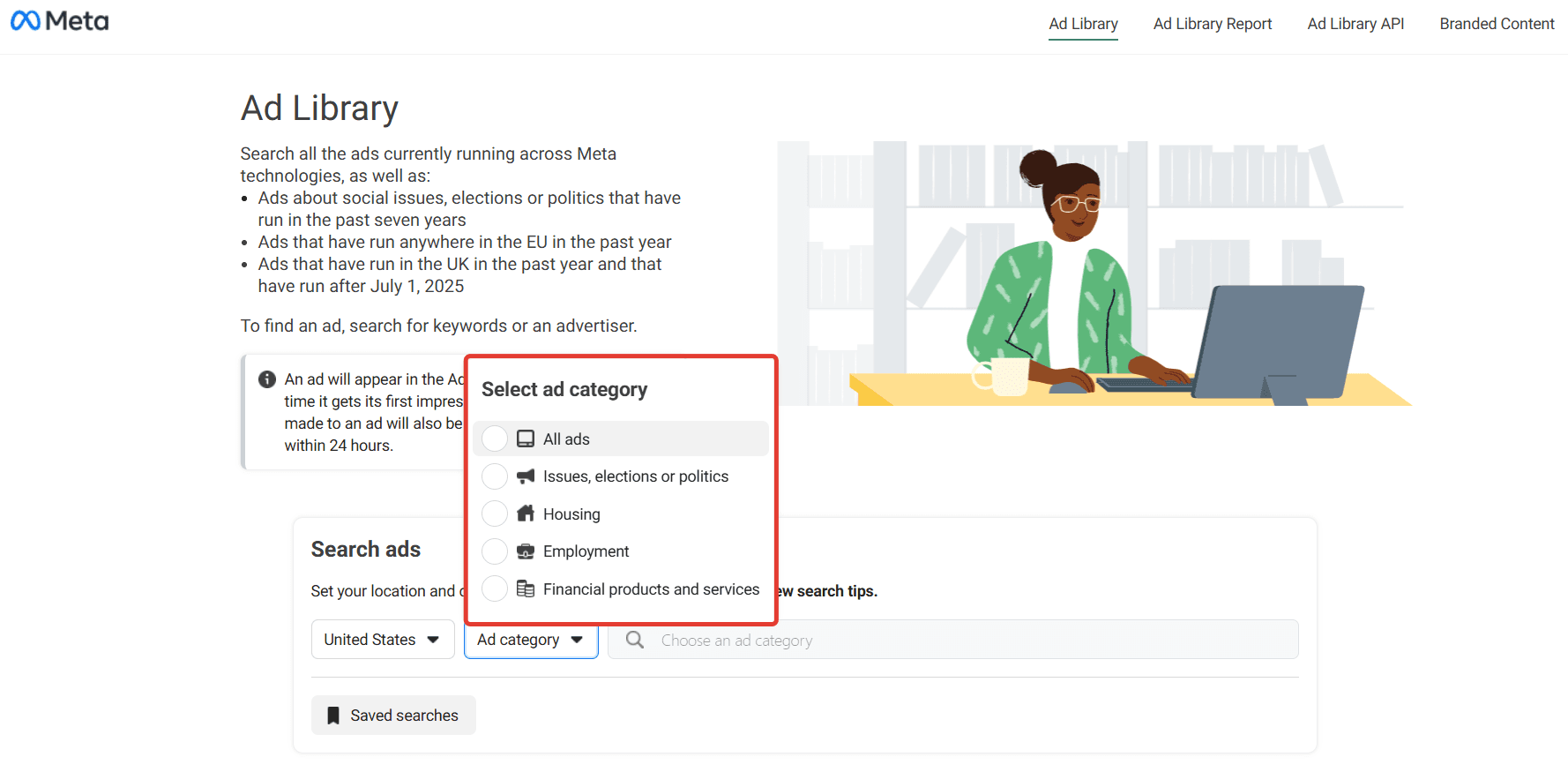
Tip: Unless you're investigating a regulated or particular ad category, stick with All to capture the full picture.
c) Choose Search Method
Once targeting is set, search using:
Search by Advertiser → Enter an advertiser’s name to see all ads they’re running.
Search by Keyword → Enter keywords to find ads related to specific topics, products, or phrases.
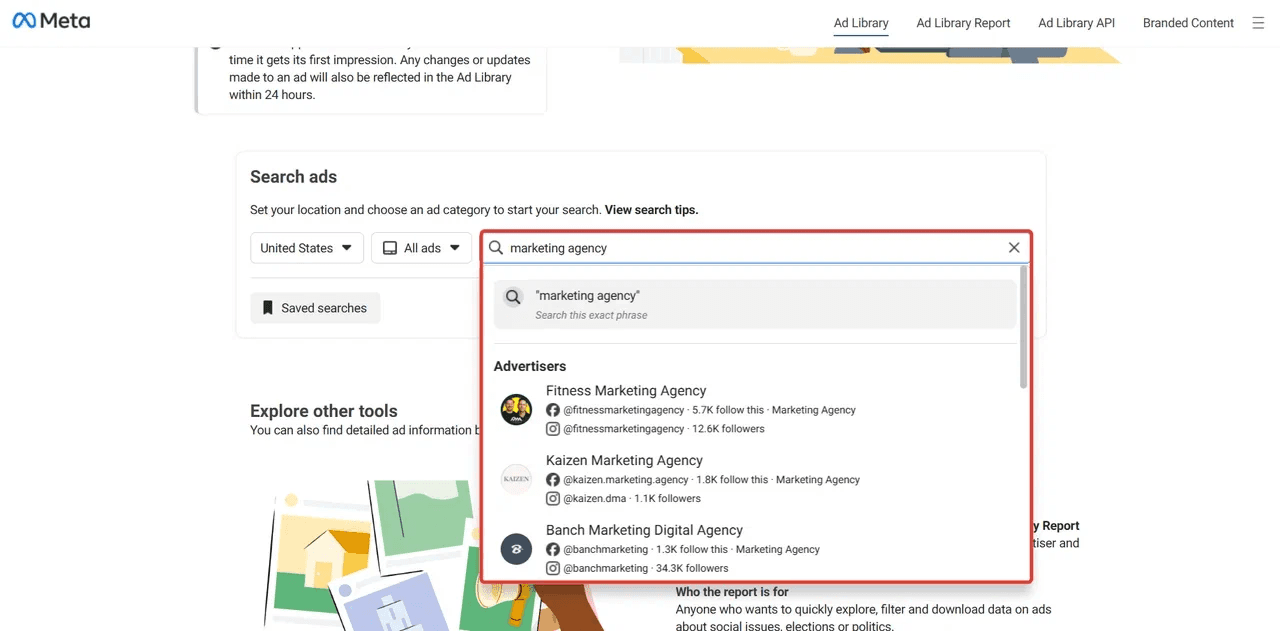
Step 3: Analyze the Results
Click on an advertiser's name or scroll through the search results. You will see a feed of ad creatives. For each ad, the library typically shows:
The Ad Creative: The image or video itself.
The Copy: Primary text and headline.
The Call-to-Action (CTA): Button text (e.g., "Learn More," "Shop Now").
Linked Page/Account: Which Facebook or Instagram account the ad leads to.
Launch Date: When the ad started running.
Platforms: Where it's being shown (Facebook Feed, Instagram Stories, etc.).
Impressions: A "See ad details" link often reveals an impression range (e.g., "1K - 5K impressions").
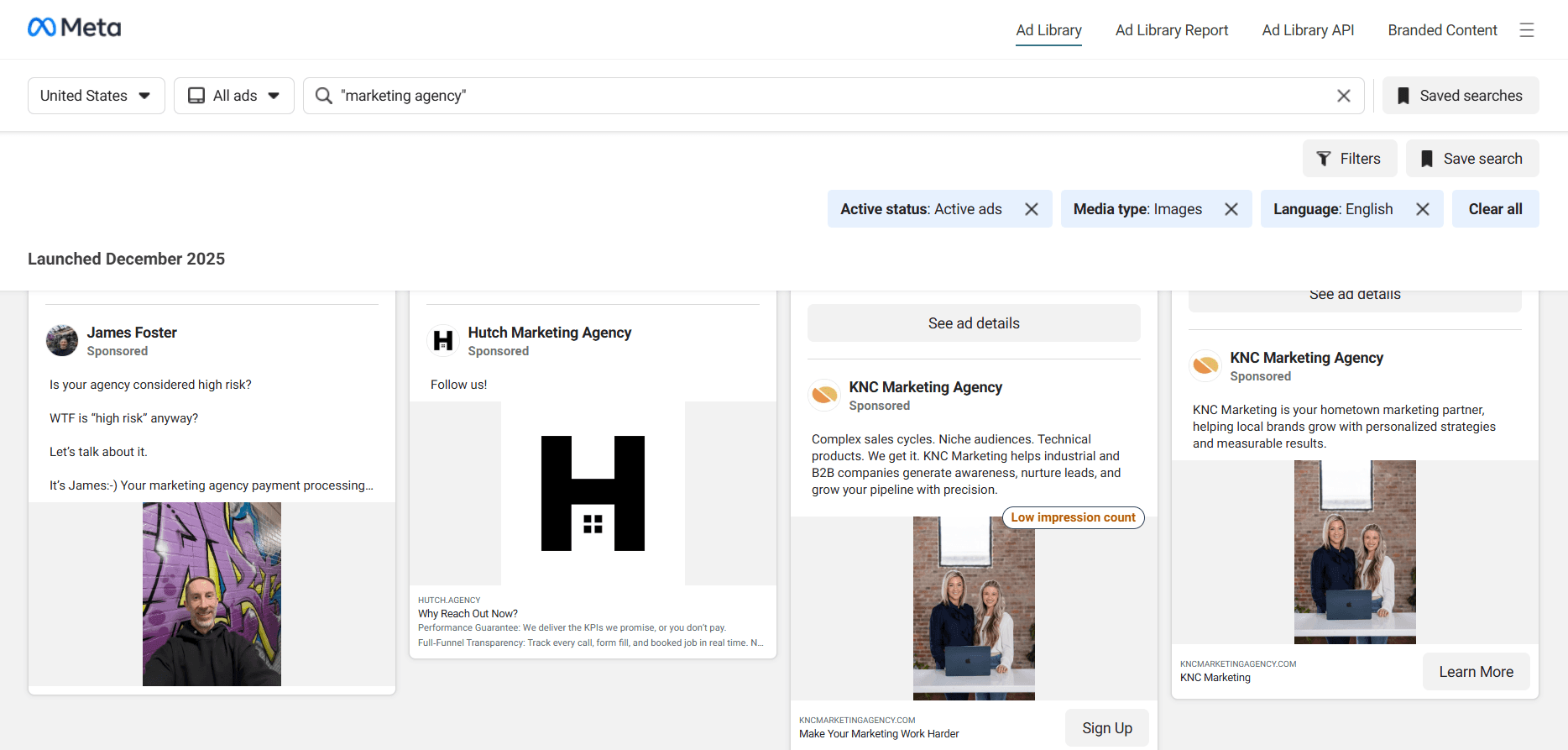
Ask strategic questions as you review:
What is their dominant offer? (Discounts, free trials, content downloads).
What creative style is consistent? (User-generated content, professional shoots, motion graphics).
How frequently are they launching new ad sets? This indicates their testing pace and budget.
What landing page are they linking to? Is it a generic homepage or a dedicated, optimized landing page?
This analysis reveals their overall advertising strategy and where they are focusing their efforts.

Conclusion
The Facebook Ad Library is a powerful, free resource for monitoring your competitors' social advertising strategy. You gain the insights needed to differentiate your own creative, refine your messaging, and make more informed strategic decisions.
Ready to expand your view beyond Facebook? To build a complete picture of your competitive landscape, you need to track ads across all major platforms. For a holistic, forward-looking strategy, we recommend our comprehensive resource: Digital Advertising Intelligence in 2026: A Practical Guide.
FAQ: Tracking Competitor Facebook Ads
How to track competitor Facebook ads for free?
Use the free Meta Ads Library. Search for a competitor's page or keywords to see their active ad creatives, copy, and where they run.
How to check a competitor's Facebook Ads budget?
You cannot see their exact budget. The Ad Library only shows ad creatives and estimated impression ranges, not spend or cost data.
How to analyze competitor ads for strategy and insights?
Go beyond just viewing ads. Use the Meta Ads Library filters to reverse-engineer their strategy:
Filter by Media Type to see if they invest more in video ads (for storytelling) or carousel ads (for showcasing multiple products).
Filter by Platform to identify if their focus is Facebook News Feed, Instagram Stories, or Reels, revealing their target audience's preferred platform.
Switch to "Inactive" ads to study their past campaign history, seasonal promotions, and which messages they've tested and stopped.